How to Read Solar Input, Load, Capacity and Time-to-Empty
Short answer: Choose a solar battery monitor by checking the measurement behind each reading. A battery-current figure shows the balance at the battery; it does not, on its own, identify simultaneous solar input and load consumption. Capacity and runtime need another check: what the monitor calculates and which assumptions it uses.
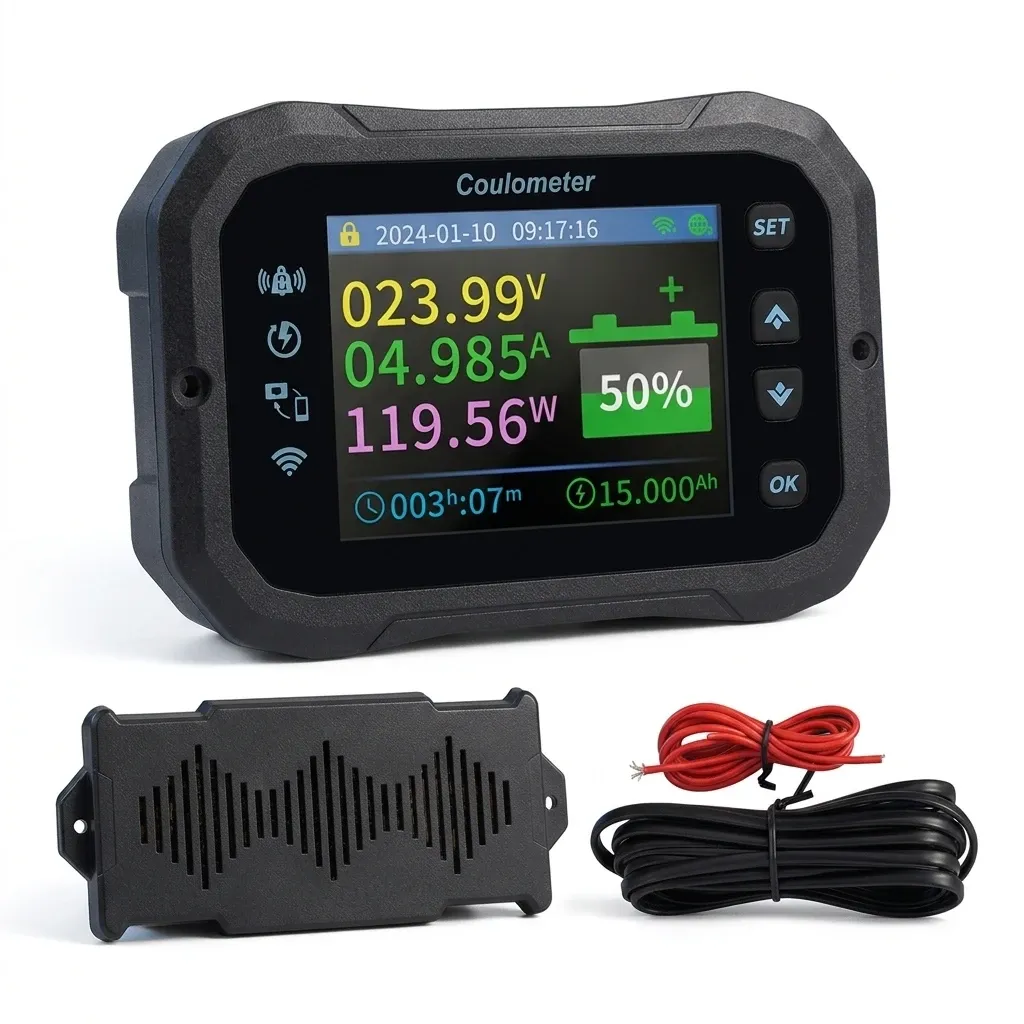
Start with the readings you need
Victron documents the distinction for SmartShunt: battery current is current entering the battery minus current leaving it. SmartShunt measures voltage and current, then calculates state of charge and time-to-go. These are documented Victron behaviours, not confirmation of BatteRemot’s implementation.
For a motorhome, caravan or off-grid cabin, use this proposed buying checklist to specify the readings you want:
| Desired reading | Measurement or calculation to ask about | Evidence to request |
|---|---|---|
| Net battery current | The balance of charging and discharging at the battery | A battery-shunt measurement diagram and sign convention |
| Solar input separately | The solar controller’s output to the DC system | A labelled measurement point and corresponding screen value |
| Consumption separately | The complete group of loads you want included | A diagram identifying included circuits and a screen example during solar charging |
| Remaining capacity | The calculation behind the percentage or Ah field | Displayed units, capacity reference and required settings |
| Time-to-empty | The estimate behind the duration | Load assumptions, discharge endpoint and behaviour during charging |
BatteRemot’s listing advertises incoming solar charge, outgoing load, a percentage of remaining capacity and time-to-empty. That wording does not establish simultaneous independent solar and load measurements. If separate readings are essential to your purchase, make a labelled measurement diagram and a demonstrated display arrangement part of your enquiry.
What one battery shunt measures
A battery shunt measures the net current crossing the battery’s measurement boundary. In the arrangement described by Victron, it answers whether the battery is charging or discharging overall, rather than measuring each source and load separately.
The SmartShunt operating manual uses positive current for charging and negative current for discharge. The illustration below adopts that convention; BatteRemot’s signs and screen labels still need confirmation.
Follow the battery boundary
This conceptual diagram represents a hypothetical cabin system. It separates the energy-flow example from the negative-side measurement topology.
HYPOTHETICAL ENERGY FLOW — positive means battery charging

[Solar controller] ── 20 A ──> [Shared DC system] ── 8 A ──> [Loads]
                                      │
                                  12 A net
                                      ▼
                                  [Battery]

NEGATIVE-SIDE MEASUREMENT BOUNDARY

[Battery −] ── [Battery shunt] ── [System negative]
                                       ├── Solar controller −
                                       └── Loads −
Illustrative topology only: positive wiring and protective components are omitted. This is not an installation diagram.
Victron’s installation manual places the negatives of DC loads, inverters and charging sources on the system side of the battery shunt. It warns that loads or chargers connected on the battery side are excluded from its state-of-charge calculation. BatteRemot’s supplied homepage instruction similarly directs all negative load and charge cables to the shunt’s P- (System Negative) terminal. Use the exact model’s instructions for installation.
Why 20 A of solar can mean 12 A at the battery
Hypothetical arithmetic illustration, not a product test: suppose the solar controller supplies 20 A while the loads consume 8 A. Assume these are the only flows and ignore losses.
Net battery current = 20 A − 8 A = +12 A.
The battery is charging while the loads are also running. A hypothetical 15 A supply and 3 A load would produce the same +12 A result. Because both pairs have the same difference, the net reading alone cannot recover the two separate flows.
For buying purposes, ask where the proposed system measures the solar branch, the load branch and the battery branch. A battery-shunt reading establishes the balance at the battery; require separate evidence for separate source and consumption readings.
How to see solar input and consumption separately
When net battery current cannot answer your question, specify additional measurement coverage. For simultaneous solar and consumption readings, ask the supplier to identify how each individual flow is obtained, alongside the battery reading.
Use this proposed specification when discussing a system:
| Measurement boundary | What to ask the supplier to demonstrate |
|---|---|
| Solar controller’s DC output | The measurement or documented data source behind the solar-input value |
| Intended load group | Coverage of every circuit you want counted, including the inverter supply where applicable |
| Battery branch | Net battery monitoring retained alongside the circuit measurements |
| Display | The required values visible together, with their source and update behaviour explained |
Additional meters or channels are needed when the proposed configuration cannot obtain the required individual flows through its existing documented measurements or compatible data sources. Do not specify an exact number of extra shunts until the supplier has mapped your circuits and explained which readings are measured or derived.
A documented example of separate circuit metering
Victron’s SmartShunt installation manual documents using a main battery monitor alongside a separate monitor configured as a DC meter for a specific device or circuit. Its operating manual describes DC meter mode as measuring production or consumption of a particular device, circuit or load, and notes that its wiring differs from battery-monitor wiring.
Victron’s configuration instructions provide the corresponding mode selection: choose “DC energy meter” under “Misc” in VictronConnect’s Monitor mode settings. This setting documents a metering mode; it does not establish that one unit measures the battery and separate circuits simultaneously. The installation example uses separate monitors.
These passages establish a Victron measurement route. They do not establish a combined screen showing solar input, total consumption and battery current together, or compatibility with BatteRemot.
Simarine’s PICO product page states that battery monitoring requires extension modules and describes expansion modules for solar and appliance consumption. The supplied passage does not specify the exact module combination, ratings or screen arrangement needed for your installation. Request a complete configuration before choosing a package on that basis.
If a supplier proposes using solar-controller data instead of a separate meter, ask for documentation covering the exact controller, connection and display combination. A compatible controller-data route for BatteRemot is not established by the supplied material.
Choose additional metering when you need information beyond the battery balance and the proposed system documents how to obtain it. Confirm measurement coverage and simultaneous display as two separate purchase requirements.
How to interpret capacity and time-to-empty
Check the meaning of the capacity field and the endpoint of the runtime estimate before planning around either. SmartShunt provides a documented example of calculated state of charge and time-to-go; its method must not be assumed to describe BatteRemot.
Identify the capacity field
Victron explains that SmartShunt integrates battery current over time to track net ampere-hours added or removed. Its state-of-charge calculation also takes account of discharge rate, Peukert efficiency, temperature and charge efficiency.
Use these questions to compare displays:
| Displayed field | Question to resolve |
|---|---|
| Percentage | What capacity reference and synchronisation conditions underpin it? |
| Ah | Is this configured total capacity, charge consumed or charge remaining? |
| Runtime | Which load assumption and discharge endpoint underpin the duration? |
BatteRemot’s homepage instructs users to enter total battery capacity in Ah during calibration, while its product listing advertises remaining capacity as a percentage. An Ah setup input does not establish a remaining-Ah display. Request a labelled screen example if that output matters to you.
Read runtime as a conditional estimate
Victron defines SmartShunt’s time-to-go as an estimate of how long the present load can be supported before the configured discharge floor is reached. Its manual cautions that heavily fluctuating loads make this a momentary guideline. The documented endpoint is therefore a configured floor, rather than necessarily zero remaining charge.
Hypothetical arithmetic illustration, not a product prediction: assume 40 Ah is available before an assumed reserve threshold. At a constant net withdrawal of 5 A, simple division gives eight hours. At 10 A, it gives four hours. If an assumed solar contribution reduces net withdrawal to 2 A, the calculation gives twenty hours, but only while those conditions continue. These teaching calculations omit efficiency and other battery effects.
Use that example to frame a supplier question: what happens to the estimate when consumption rises, solar input falls or the battery starts charging overall? Do not carry an earlier daytime estimate forward as a promise for the evening.
BatteRemot’s supplied passages do not define its runtime load assumptions, discharge endpoint or behaviour during net charging. Ask whether the display suppresses time-to-empty, shows another estimate or uses a different indication while charging; no particular behaviour is confirmed here.
For the separate commissioning checks, refer to How to Set Battery Capacity and Calibrate a Leisure Battery Monitor, alongside the exact monitor manual and battery documentation. For this buying decision, obtain the capacity units, calculation explanation and runtime endpoint before relying on the displayed estimates.
What the BatteRemot listing establishes
The BatteRemot Pro product listing states: “It tracks incoming solar charge and outgoing load, giving you a precise percentage of remaining capacity and time-to-empty.” It also states: “400A shunt tracks real-time charge and discharge current for accurate capacity readings.” These are seller claims, not independent test results.
The supplied wiring instruction places negative load and charge cables together at the shunt’s P- (System Negative) terminal. That instruction identifies a connection point; it does not document independent solar and load channels or their display behaviour. The available wording does not confirm those capabilities, and it does not prove that they are absent.
Before choosing BatteRemot specifically for all four readings, request this evidence for the exact model being supplied:
| Unresolved purchase question | Evidence to request |
|---|---|
| Can solar input and total consumption be viewed separately and simultaneously? | A labelled display or app example while charging and loads are active together |
| Where does each current reading come from? | A measurement diagram identifying direct measurements and derived values |
| What hardware provides those readings? | The exact included components, any required additional meters or data connections, and documented compatibility |
| What capacity fields are displayed? | A screen example distinguishing percentage, remaining Ah and configured total Ah, as applicable |
| What does time-to-empty mean? | Model-specific documentation of load assumptions, runtime endpoint and behaviour during charging or changing loads |
If independent solar and consumption readings are essential, make confirmation of their measurement paths and display behaviour a purchase condition. If your requirement is the battery’s overall charging or discharging balance, ask the supplier to demonstrate that narrower use. Keep the choice open until the evidence matches the job you need the monitor to do.
Check your measurement coverage before buying
Prepare a short system specification, then ask the supplier to match every required reading to hardware and a display example. Use the following proposed checklist for your motorhome, caravan or cabin.
- Battery bank: record nominal voltage, chemistry and total rated capacity in Ah. Request confirmation that the proposed configuration supports them.
- Current: record anticipated charging and discharging currents, including inverter use and short-duration peaks. Ask for the applicable limits of every proposed measurement device.
- Solar equipment: provide the controller’s make, model and rated output, plus other charging sources. If the proposal uses controller data, request compatibility documentation for that exact combination.
- Load coverage: specify total consumption, individual appliances or both. Ask the supplier to identify which circuits are included and where inverter consumption is counted.
- Display needs: list solar input, consumption, remaining capacity and time-to-empty individually. Mark which must appear together and whether you need them on a display, phone or both.
- Calculated values: request capacity units, required settings, runtime load assumptions, the discharge endpoint and charging behaviour.
- Complete configuration: obtain a measurement diagram, exact component list and labelled screen examples for the configuration you would buy.
Follow a conditional decision route
If you need the battery balance: assess a monitor against documented net-current measurement and clearly explained capacity and runtime estimates. A net reading may answer your charging-versus-discharging question without answering separate solar production and consumption questions.
If you need separate solar and consumption readings: require a documented route for each flow. Where additional circuit meters or compatible equipment data are proposed, include those components and connections in the purchase specification.
If you need all four readings together: request a demonstration of the complete display arrangement as well as the measurement diagram. Evidence of circuit measurement alone does not establish the requested screen layout.
For BatteRemot, keep simultaneous independent solar and load readings, expansion compatibility, capacity outputs and runtime behaviour as open checks until model-specific evidence resolves them. Choose the configuration whose documented coverage matches your installation and the decisions you want to make from its readings.
References
- BatteRemot Pro Remote Battery Monitor | 10-100V 400A
- BatteRemot | The Smart WiFi Battery Monitor for UK Motorhomes
- 4. Configuration
- 5. Operation
- 3. Installation
- 2. Introduction
- PICO Battery Monitor - Simarine
Related guides
- How to Check a Stored Caravan Battery from Home Through a 4G Router
- How to Set Battery Capacity and Calibrate a Leisure Battery Monitor
- BatteRemot Display Cable Length: Plan the Route and Check Extension Approval
Check the live product detail
The product page is the source for the BatteRemot Pro specification, price and availability. At this update it shows £67.20; check it again before ordering.
View the BatteRemot Pro — £67.20