How to Check a Stored Caravan Battery from Home Through a 4G Router
Short answer: BatteRemot describes nearby access through the monitor’s own WiFi network and separately claims router bridging for remote viewing. The available BatteRemot information does not establish the complete from-home setup, its consumption or its failure behaviour. Ask for the supported instructions, then verify external access, reading freshness, recovery and the complete storage load on your installation.
To check a stored caravan’s battery from home, your goal is a fresh reading on a phone connected to a different network from the caravan. Before relying on unattended monitoring, confirm the complete internet route, budget for everything left powered and test what happens when the connection fails.
This guide provides a proposed purchase and acceptance workflow. It does not report a completed BatteRemot remote-access demonstration or give model-specific router settings.
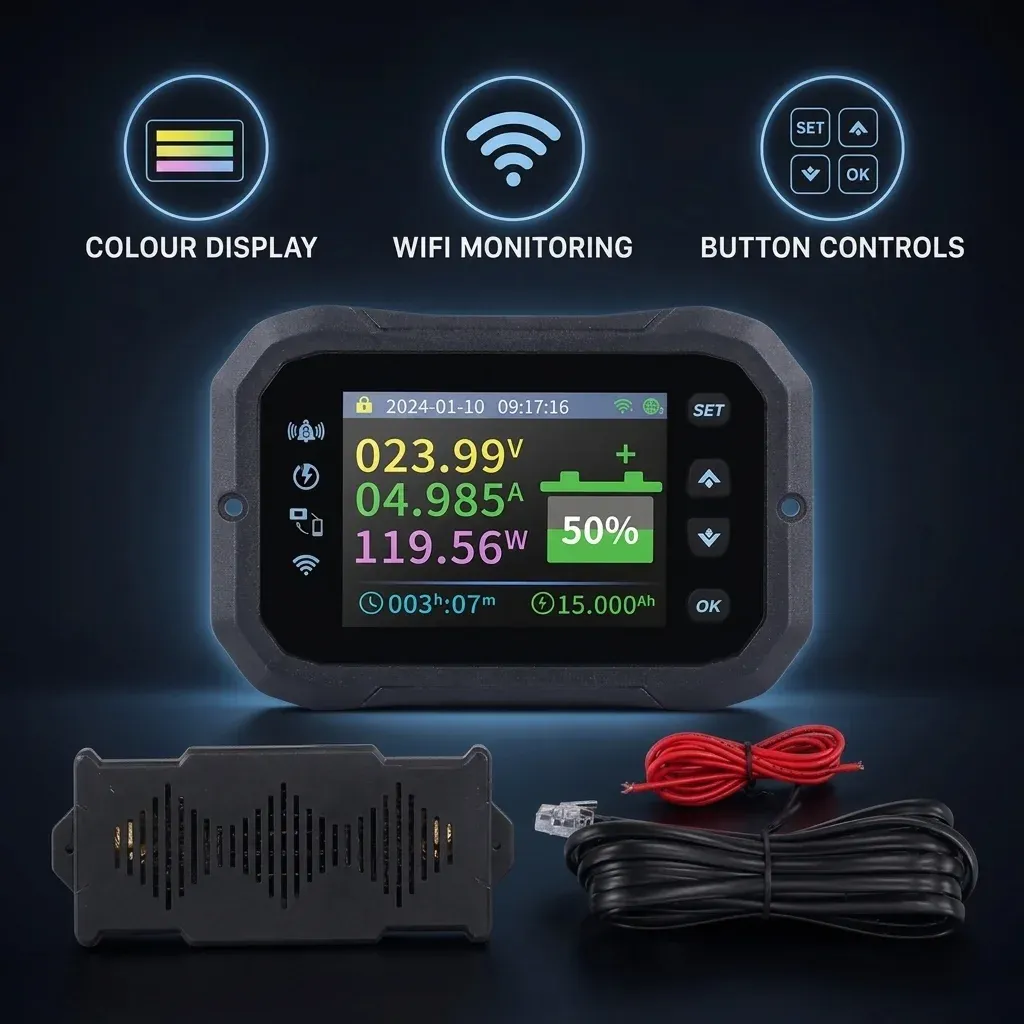
Does WiFi on its own provide access from home?
Local WiFi access alone is insufficient evidence that you can check the battery from home. BatteRemot’s product listing specifies “2.4GHz Local WiFi”. Its homepage says the monitor creates its own network for direct smartphone access inside or near the vehicle, without requiring internet access.
The homepage separately states: “For remote viewing away from the vehicle, it can also be bridged to your motorhome's 4G internet router.” That is a published remote-viewing claim. The passage does not identify the complete configuration or the method that delivers a reading to a phone elsewhere.
Use this diagram to separate the local description from the route to verify:
LOCAL ROUTE — described by BatteRemot
Monitor’s own WiFi → smartphone inside or near the vehicle

FROM-HOME ROUTE — proposed verification map
Monitor
  → supported connection to the caravan’s 4G router
    [bridging claimed; configuration to confirm]
  → mobile internet connection
  → supported remote-access method
    [service, gateway or other method to confirm]
  → app or browser on a phone connected elsewhere
    [fresh reading to demonstrate]
The remote route is a checklist, not a confirmed BatteRemot architecture. An unconfirmed link does not prove that a feature is absent. Ask the seller to document each link and demonstrate a fresh reading on a different network.
Confirm the complete route from the monitor to your phone
The required service, gateway and access procedure must be confirmed for the exact installation. The available BatteRemot setup instruction names the BatteRemot app and tells owners to connect to the monitor’s local WiFi network. It does not describe the from-home app or browser procedure.
Ask the seller to complete this proposed connection record before offering model-specific settings:
| Part of the route | Confirmation to request |
|---|---|
| Monitor to router | Exact monitor model, supported connection mode, router requirements and instructions explaining what “bridged” means here. |
| Router to internet | Router, SIM and tariff requirements for the recommended monitoring route at the storage location. |
| Remote-access method | Name of any cloud service, gateway or alternative method, plus additional hardware and account requirements. |
| Reading on your phone | Exact app or browser address, sign-in procedure and a demonstration from a different network. |
| Security and costs | Supported access-protection settings, account ownership and any hardware, SIM or service charges. |
Other manufacturers show the kind of detail worth requesting. Shelly’s documentation says its Shelly Plus Uni can be monitored remotely when the user has internet connectivity and the device is connected to a WiFi router and the internet. This is a Shelly example, not evidence of BatteRemot compatibility or setup.
Victron’s SmartShunt configuration documentation identifies remote access “via a GX device, using VictronConnect "Remote" feature.” That names an intermediary and an app feature. The supplied passage does not establish the GX internet connection or a complete installation route; it does not establish BatteRemot’s architecture either.
Teltonika’s router-access documentation says access through interfaces other than the LAN requires additional configuration because of firewall restrictions. It also discusses alternatives for remote access without a public IP address. These statements concern Teltonika device access, not access to BatteRemot battery readings.
Ask the seller and mobile provider which restrictions apply to the recommended monitoring route. Do not assume that reaching the router’s administration screen demonstrates access to the battery. Request supported security instructions rather than selecting remote-access settings by guesswork. Specific SIM conditions, subscriptions and costs remain to be confirmed.
Work out how much battery the whole setup will use
Use a budget for the complete storage configuration, then check it against measurements. The following is a proposed worksheet, not a BatteRemot consumption result or a prediction of unattended runtime.
First ask the installer to identify the measurement boundary: which loads does the shunt include, and which need separate measurement? BatteRemot’s published instruction describes a B+ supply from the battery positive terminal. That instruction does not establish whether the displayed current includes the monitor’s own consumption.
| Equipment to account for | What to record |
|---|---|
| Monitor and shunt electronics | Consumption in the intended mode; whether the measurement includes their own supply. |
| Display | Intended backlight or sleep setting; whether its consumption is already included elsewhere. |
| 4G router | Exact model, supply voltage and activity while maintaining the monitoring connection. |
| Gateway, if required | Equipment and operating mode used for remote access. |
| Power supplies or converters | Battery-side input consumption, including conversion losses. |
| Other retained loads | Every alarm, tracker, control panel or other item you intend to leave powered. |
Prefer an installer-confirmed battery-side measurement covering all retained equipment. Use the equipment list to check that the total is complete; do not add component figures to a total that already includes them. If using separate measurements, identify gaps and overlaps before adding them.
Teltonika’s RUT241 table reports an averaged 109.3 mA and 1.31 W at 12 V for idle operation with mobile data connected and no additional traffic. Teltonika says consumption may differ with mobile-data transmission speed, environment and conditions. This is one router’s result under specified conditions, not a maximum or a whole-installation measurement.
Use this proposed arithmetic worksheet with measured averages or explicitly labelled assumptions:
- Current approach: average battery-side current in A × elapsed hours = consumption in Ah.
- Power approach: average battery-side power in W × elapsed hours = consumption in Wh.
- For separate operating states, calculate consumption for each state using its duration, then add the results in the same unit.
Do not add watts to amps or combine current readings at different supply voltages as though all were measured at the battery.
Conditional example: if Teltonika’s averaged 12 V test current continued for 24 hours, the arithmetic would be 109.3 ÷ 1,000 × 24 = 2.6232 Ah, approximately 2.62 Ah. This is a calculation from a published router test value, not an observed daily caravan result. It excludes the monitor, display, other equipment and additional supply losses.
Record measurement duration, voltage, equipment, settings and connection activity. Record charging separately; if the result is net battery change with charging present, label it that way. As a conservative planning exercise, also consider a period with no assumed charging.
Keep rated battery capacity separate from the allowance you agree to use during storage. Ask the battery supplier or installer to set that allowance and reserve for your battery and starting charge. Victron’s SmartShunt documentation warns that small retained loads can slowly discharge an unused lithium battery and that very deep discharge can cause irreversible damage; it names alarms, standby currents and charger or regulator back-current drain as examples.
The available BatteRemot passages provide no standby-consumption figure. Leave the installation’s runtime unresolved until its complete consumption and battery storage allowance are established.
Check whether a reading is fresh and what happens when data stops
Ask for separate demonstrations of reading freshness, low-battery warnings and lost-communication warnings. As a proposed acceptance rule, require a timestamp, last-contact indication or another supported way to recognise a new measurement. An unchanged value alone should not count as proof of current communication.
Ask what any displayed time represents: the measurement time, receipt by the service or simply opening the screen. Request the normal update interval and the delay before missing data is flagged. Record undocumented timings as unknown.
A low-battery warning and a communication warning need separate answers. As an attributed example, Victron’s VRM documentation lists communication monitoring between the portal and the installation separately from automatic alarm monitoring, which includes a low-battery alarm. It describes email or push notifications and says users must configure the notification type they want to receive. These are Victron features, not confirmed BatteRemot capabilities.
The available BatteRemot passages do not establish update intervals, freshness indicators, notification channels or recovery behaviour. This does not prove those features are absent.
For your proposed verification record, request:
| Question | Evidence to request |
|---|---|
| Is this measurement fresh? | Explanation of the indicator and a demonstrated new reading from another network. |
| What happens when updates stop? | Screen behaviour after an interruption, including treatment of the last value. |
| Will a warning reach me? | Separate low-battery and communication-warning conditions, delays, destinations and receiving-device settings. |
| What happens after reconnection? | A new reading, any clearing of the failure indication and any promised recovery notification. |
Ask for a supplier-supported way to demonstrate the low-battery warning without deliberately discharging the battery. If no automatic communication warning is confirmed, decide whether manually checking the last-update indication meets your needs. Keep an automatic-warning requirement unresolved if your storage plan depends on it.
Test access and recovery before leaving the caravan unattended
Use the following proposed acceptance test while someone can still attend the caravan. Follow the equipment manufacturers’ supported instructions. This is a test plan, not a completed BatteRemot demonstration.
- Record the configuration. Test at the intended storage location. Record monitor, display, router and gateway models; firmware and app versions; SIM and remote service; power supplies; antenna position and available signal information. List the battery, charging sources and all retained loads. Record dates, times and time zone.
- Agree the expected behaviour. Obtain the supported setup, normal update interval, freshness indicator and any promised warning or recovery timings. If a timing is undocumented, mark it unknown and record the observed result without inventing a pass threshold.
- Check access on mobile data. Note a local reading and time. Switch the viewing phone’s WiFi off, confirm mobile internet access and open the supported remote service. Identify a measurement received after switching networks. Record the indicator and time; repeat from home on the network you intend to use there.
- Restart the router. Use its documented restart procedure while the phone remains on a separate connection. Record the interruption, screen behaviour and any warning. After internet access returns, identify the first fresh reading and record every manual action required. If local intervention is needed, mark unattended recovery as failed for this test.
- Interrupt internet access separately. Ask the router supplier for a supported method that leaves the monitor and local network powered. Observe the remote screen and any promised communication warning, then restore internet access. Record warning delivery, resumed measurements and any clearing of the failure indication.
- Measure storage consumption. Run a supervised trial chosen to include the operating cycles expected during storage. Record duration, settings, network activity, restarts and charging conditions. Ask the installer to confirm which supplies the battery-side measurement includes. Account separately for omitted loads without adding anything already measured.
Keep a short result sheet:
| Test | Record | Proposed acceptance rule |
|---|---|---|
| External access | Receiving network, reading time and freshness evidence | A demonstrably new measurement reaches the supported screen. |
| Router restart | Interruption and recovery times; manual actions | Fresh readings resume without local intervention if your plan requires unattended recovery. |
| Internet interruption | Old-value display, warning delivery and recovery | Loss of data becomes apparent through the agreed indication or notification, and recovery is demonstrated. |
| Storage-load trial | Equipment, measurement boundary, duration, consumption and charging | The result covers the intended configuration and can be compared with the agreed battery allowance. |
Mark each outcome demonstrated, failed or unverified, retaining screenshots or logs where available. Repeat failed checks after correcting the cause. Before leaving the caravan unattended, resolve any failed or unverified function your plan depends on. Treat a successful trial as evidence for the tested configuration and conditions, not a guarantee of uninterrupted future access.
What to ask the seller before buying
Send the seller your intended arrangement and ask for answers for the exact equipment being supplied. You can copy this enquiry:
I want to check my stored caravan’s leisure battery from home, with my phone on a different network from the caravan.
- Can you provide the complete supported route from this monitor through my 4G router to the reading on my phone? Please name the connection mode, app or website, any service or gateway, accounts and additional hardware.
- What router and SIM requirements apply? Please provide supported security instructions and identify additional purchase costs or recurring charges.
- What is the battery-side consumption of the complete installation in its intended storage mode? Please include the monitor, display, router, any gateway and power-conversion equipment, with test conditions and measurement boundaries.
- Which supplies does the shunt include, particularly the monitor’s own supply? How should other retained loads be included without omission or double counting?
- How can I identify a fresh reading, what is the update interval and what will the screen show when measurements stop arriving?
- Are low-battery and lost-communication warnings both available? Please explain their triggers, delays, delivery methods and required settings. Does monitoring recover automatically after a router restart or internet interruption?
- Can we demonstrate external access, freshness, interruption warnings and recovery, then record consumption over a period representative of my storage conditions?
The BatteRemot Pro listing is the source of the “2.4GHz Local WiFi” specification; the BatteRemot homepage is the source of the router-bridging claim. Neither passage supplies the complete from-home setup, whole-installation consumption or failure behaviour needed for this decision.
Our proposed decision rule is to rely on unattended monitoring only after the actual installation has demonstrated the functions your storage plan requires and its measured load fits the battery allowance agreed with your supplier or installer. Keep unanswered requirements visible. An unanswered question does not prove a feature is absent, but it is insufficient evidence on which to rely.
References
- BatteRemot Pro Remote Battery Monitor | 10-100V 400A
- BatteRemot | The Smart WiFi Battery Monitor for UK Motorhomes
- www.victronenergy.com
- 4. Configuration
- Shelly Plus Uni | Shelly Knowledge Base
- Remote Device Access - Teltonika Networks Wiki
- RUT241 Power Consumption - Teltonika Networks Wiki
- 6. Alarms and monitoring
Related guides
- How to Set Battery Capacity and Calibrate a Leisure Battery Monitor
- How to Read Solar Input, Load, Capacity and Time-to-Empty
- BatteRemot Display Cable Length: Plan the Route and Check Extension Approval
Check the live product detail
The product page is the source for the BatteRemot Pro specification, price and availability. At this update it shows £67.20; check it again before ordering.
View the BatteRemot Pro — £67.20